
igloohome x Resly via InfoDEN Connection Tutorial
For any technical questions, please contact sales@infoden.com.au and an InfoDEN team member will contact you to discuss requirements.
1. To start the integration process, contact your Resly account manager for pricing information.
2. Once your requirements have been established, Resly will prepare a quote for your approval.
3. Once approved, an InfoDEN team member will guide you through the installation process.
Here are the steps to activate the integration between igloohome and Resly (via Infoden):
1. If you have not already downloaded the igloohome App and set up your locks:
Download the Igloohome App on your mobile device:
Follow the instructions in the igloohome Quick Start Guide to set up your locks in the app using your phone.
2. Register for an account on iglooaccess using your igloohome account details.
2a. Click on API Access and create an API Service. Please include “Resly API” in the Service Name.
2b. Copy your Client ID and Client Secret.
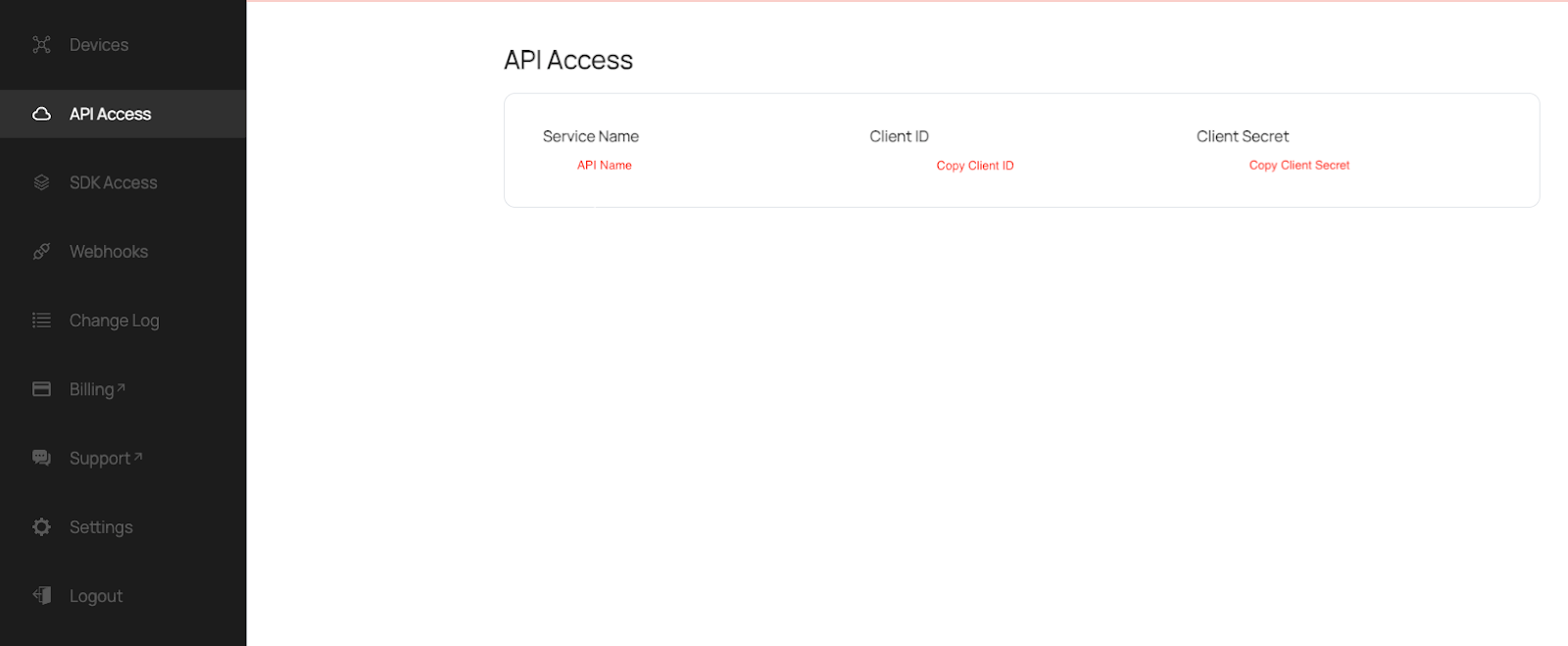
3. Once the above steps are done, please email <sales@infoden.com.au> the Client ID and Client Secret to allow them to begin the setup process for you.
More about igloohome x Resly Integration via Infoden:
The Resly Cloud Webservice sends reservation updates to the InfoDEN Cloud Server.
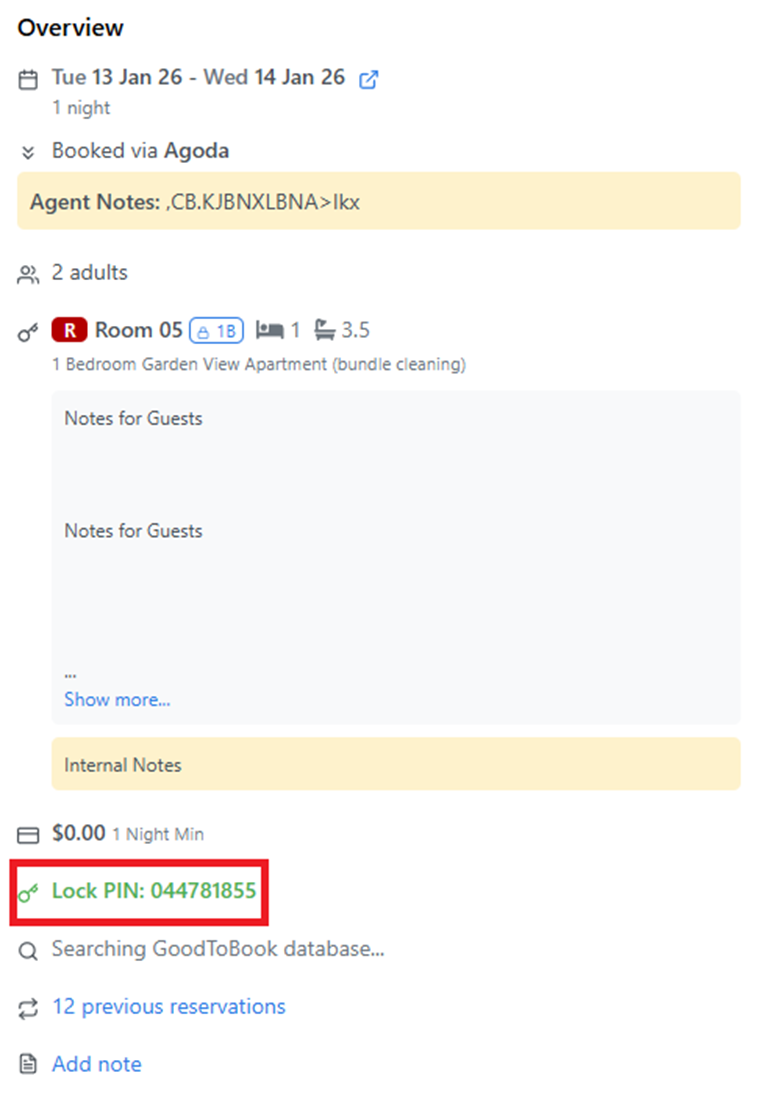
If a Reservation’s Status is ‘Checked-In’ and it does not have a PIN, the InfoDEN Cloud Server sends a command to the IglooHome Cloud Server to request a PIN.
The IglooHome Cloud Server returns the PIN to the InfoDEN Cloud Server.
The InfoDEN Interface will insert the PIN into the ‘PIN Number’ Field in the Resly Reservation record.
Resly correspondence functions can then be used to manually send the PIN to the guest.
FAQ :
What types of PINs are supported?
Duration AlgoPINs (offline PINs) are currently supported and they will be created based on the specified start time and end time set in the interface configuration.
I have a bridge — does it work with the integration?
The bridge features are currently in development, and will be supported in future releases of this integration.
Can I see my Resly PINs on my igloohome app?
Yes, you are able to see all PINs that are created by this integration on your igloohome app.
What if I have many locks (ie. main door, room door, lockers) linked to one reservation?
Currently, the InfoDEN algoPIN Interface is a one lock per reservation relationship.
Which PMS does Infoden currently connect with, and where is the service available?
For Igloohome AlgoPIN, we currently integrate with Resly and RMS. Newbook is yet to be tested.
It is available worldwide.