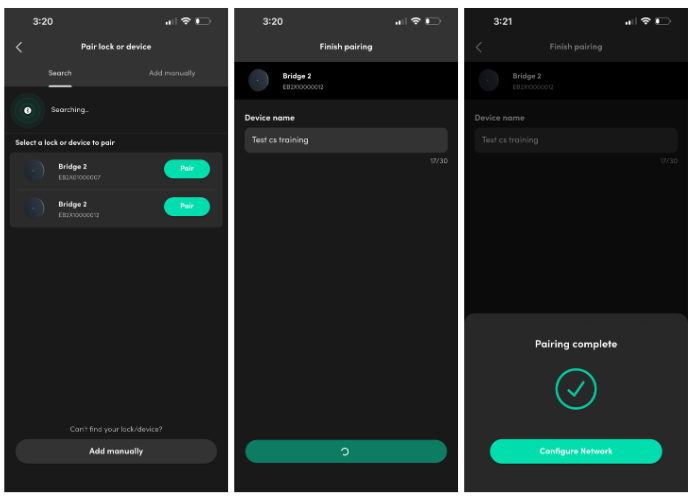
Pairing Steps:
1. Open the igloohome app and tap [pair new device]
2. Select the Bridge 2 Bluetooth ID from the list
3. The app will start setting up the Bridge
4. The status LED blinks BLUE while communicating to the app over Bluetooth
5. The status LED blinks GREEN once pairing is complete
6. The status LED shows solid RED (not yet connected to the internet)