Connection to igloohome :
1. If not done already, pair your devices on the igloohome app.
2. Go to iglooconnect and log in with your igloohome credentials.
3. Go to Settings and tap on Configure Stripe payment. API subscription fee of $2/active device/month.
- Already have Anywhere access?
→ Go directly to your Anywhere admin interface using your dedicated customer domain.
- New to Anywhere?
→ Under Integrated Services, select “Anywhere.” You’ll be redirected to the Anywhere page to complete the signup.
Connection to Anywhere :
1. Go to the Online Check-in page settings.
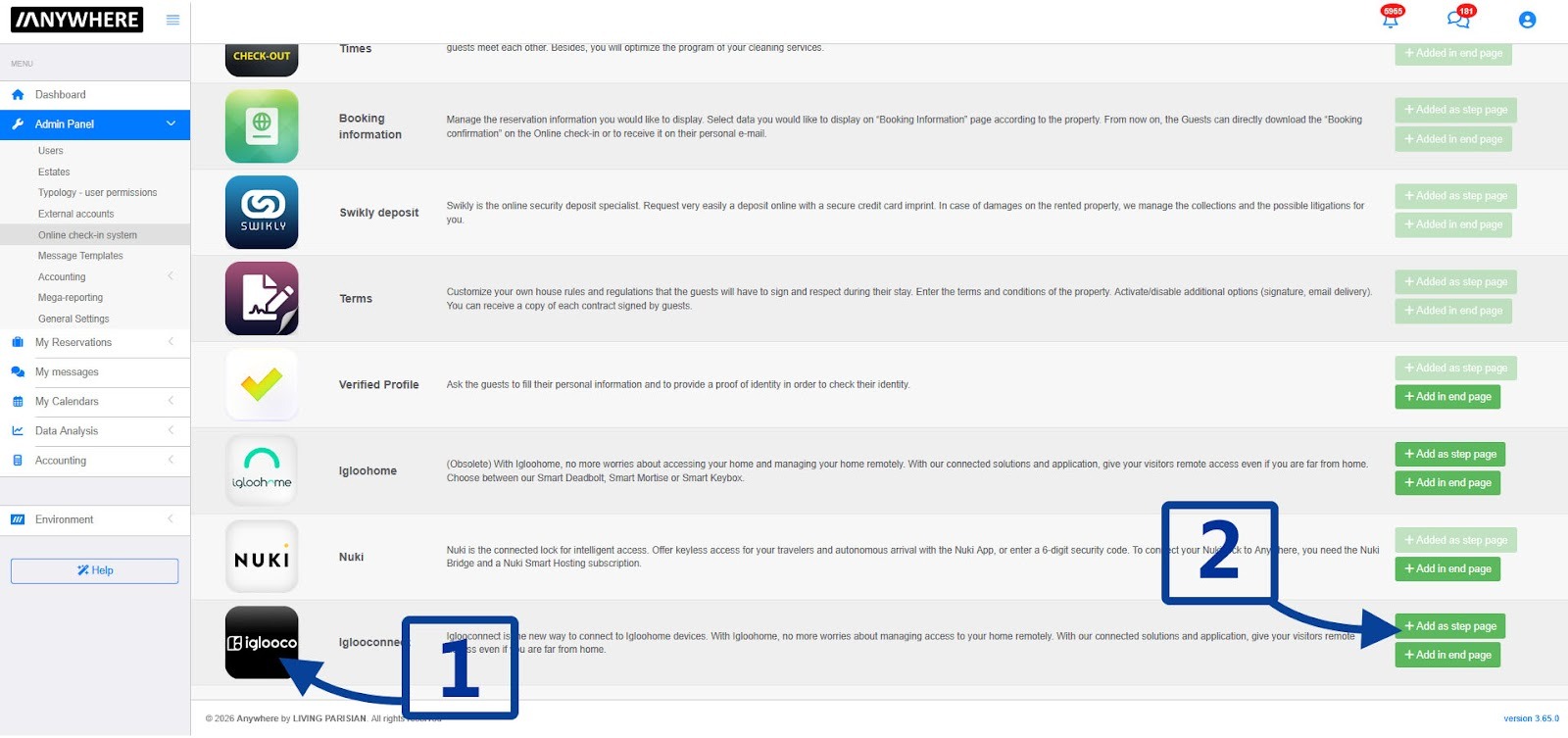
2. Search for iglooconnect in the app list and add it to your Online Check-in steps.
3. Click the configuration icon ⚙️ on the iglooconnect step.
- Already have Anywhere access?
→ Go directly to your Anywhere admin interface using your dedicated customer domain.
- New to Anywhere?
→ Under Integrated Services, select “Anywhere.” You’ll be redirected to the Anywhere page to complete the signup.
4. Enable the app for a property.
5. Click the property’s configuration icon ⚙️ to open the app settings for this property.
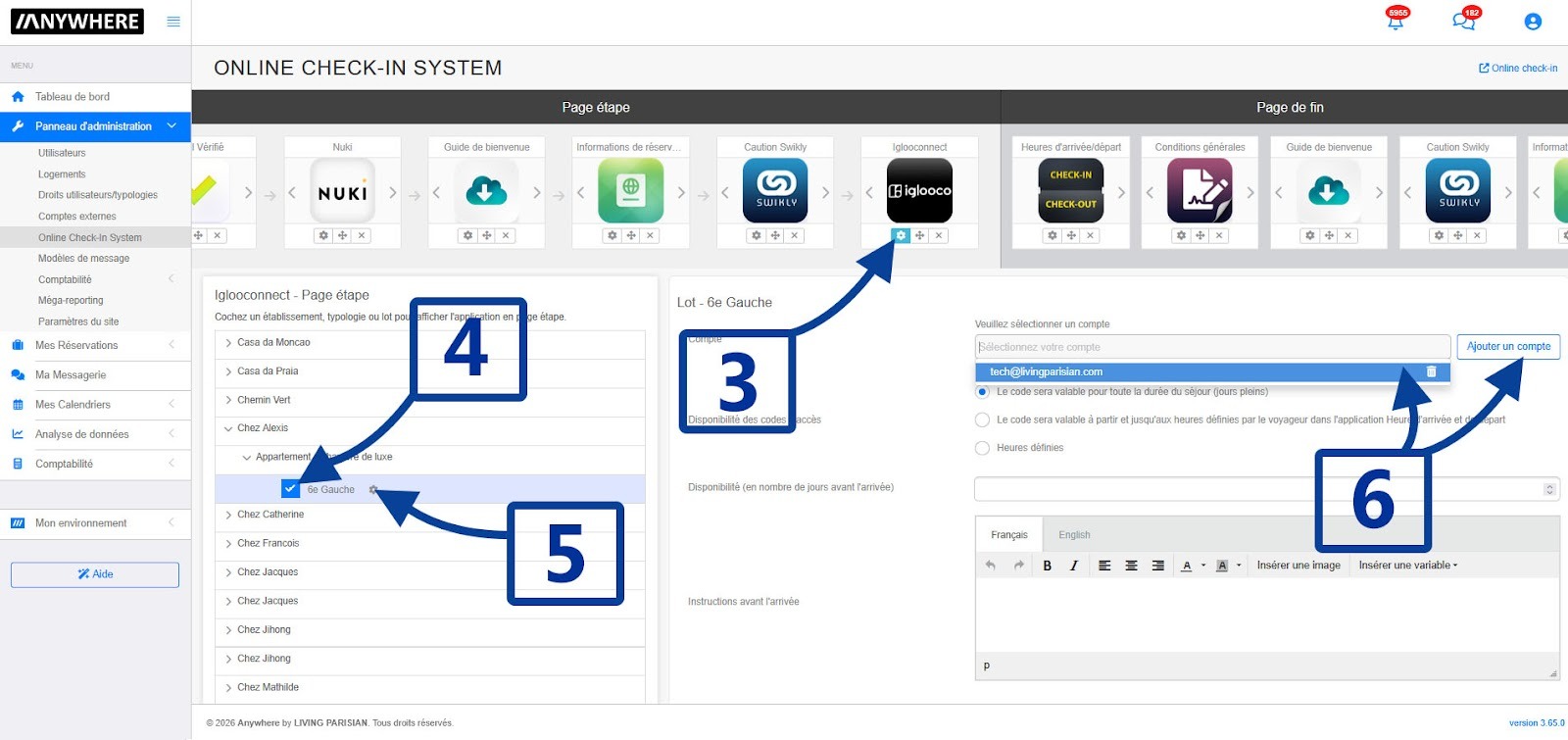
6. Select your igloohome account, or add a new one if it hasn’t been added yet.
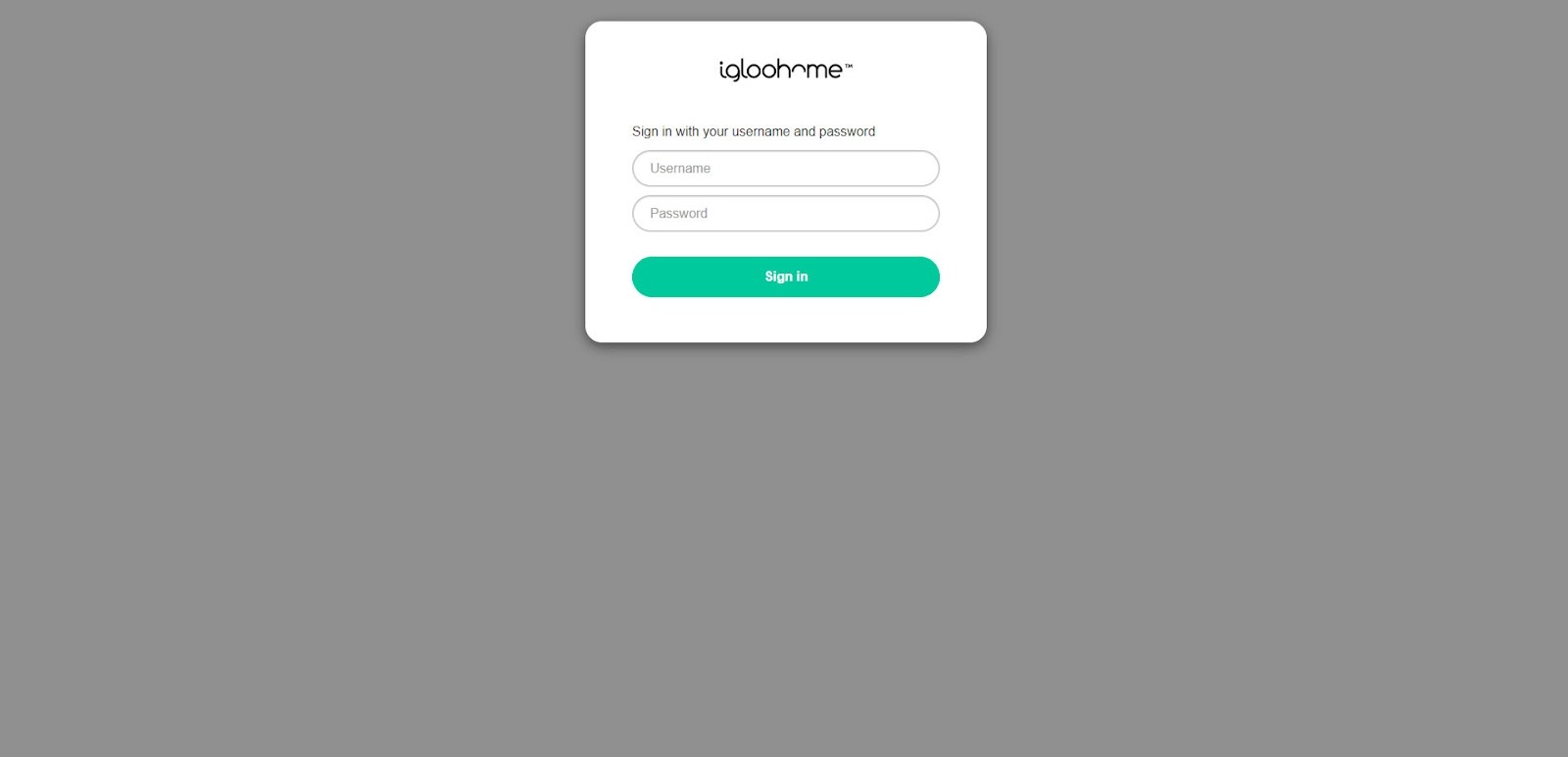
Note: Adding an account will redirect you to the igloohome login page. Once the login is successful, the Anywhere page will refresh. You can then follow the previous steps to select your newly added account.
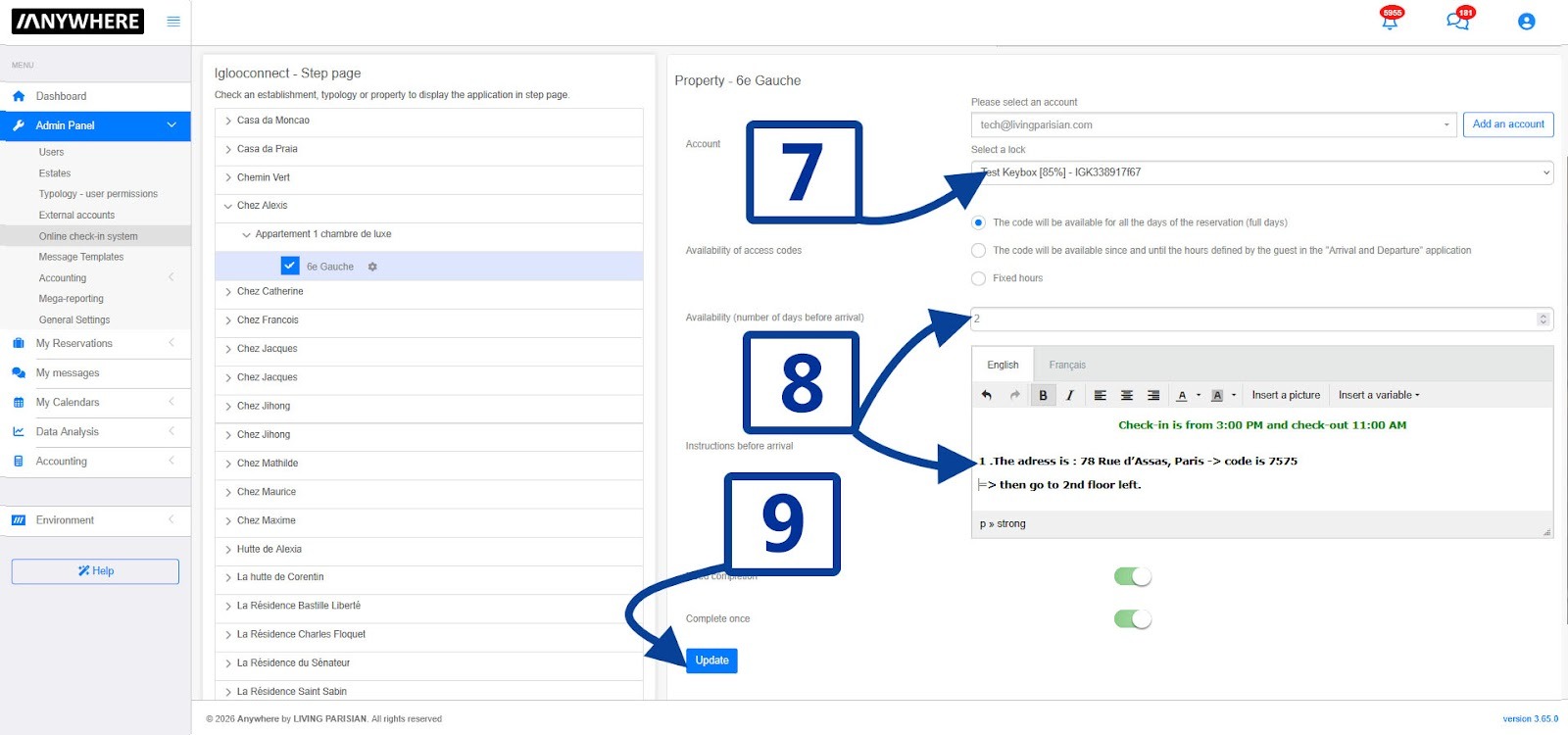
7. Select the lock.
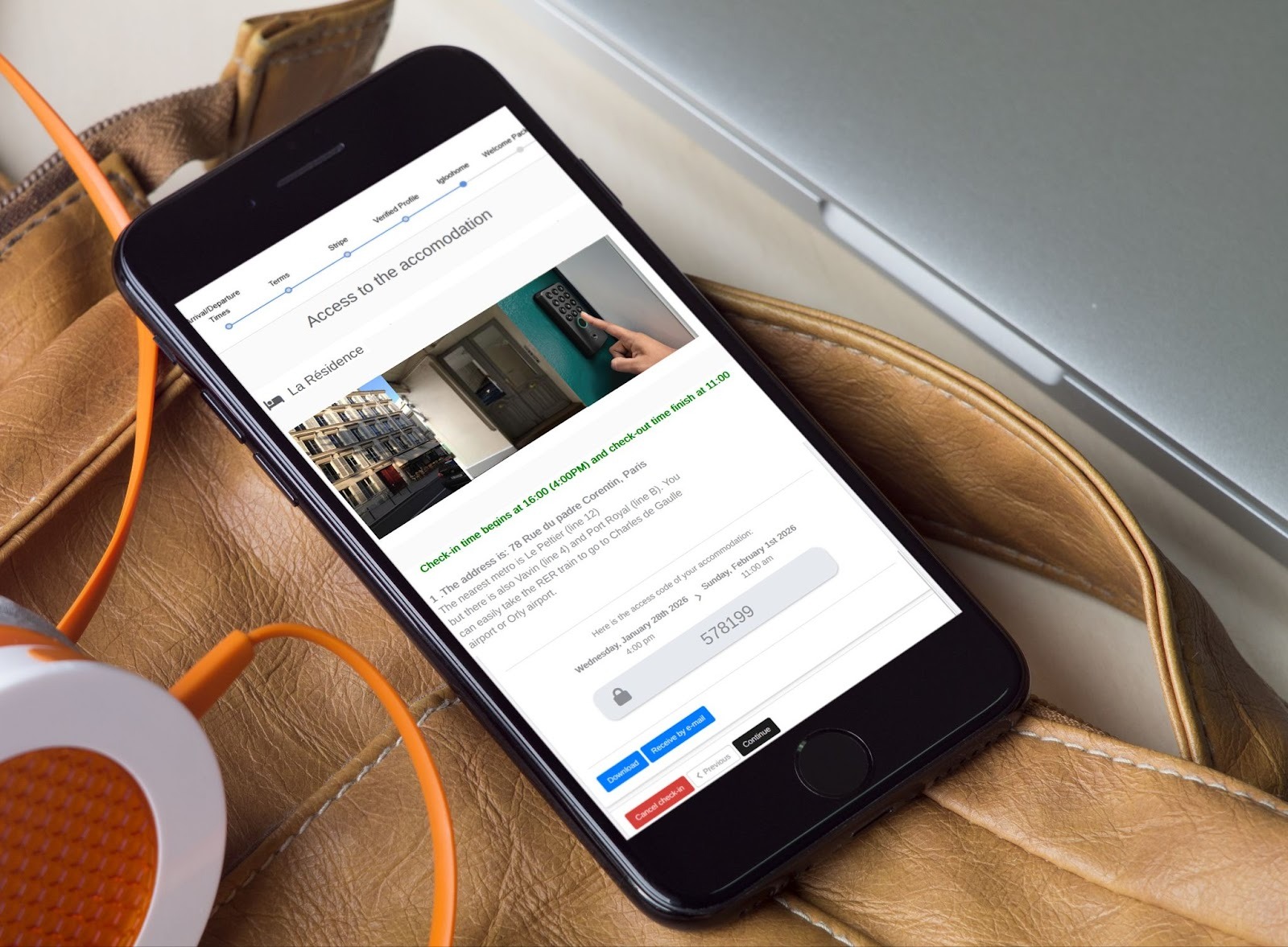
8. Configure how guest access should work, and add short instructions and photos (entrance, intercom, route to the Igloohome lock).
Note: The access code will appear automatically at the end of the instructions whenever a guest completes their check-in.
9. Click Save. That’s it!